
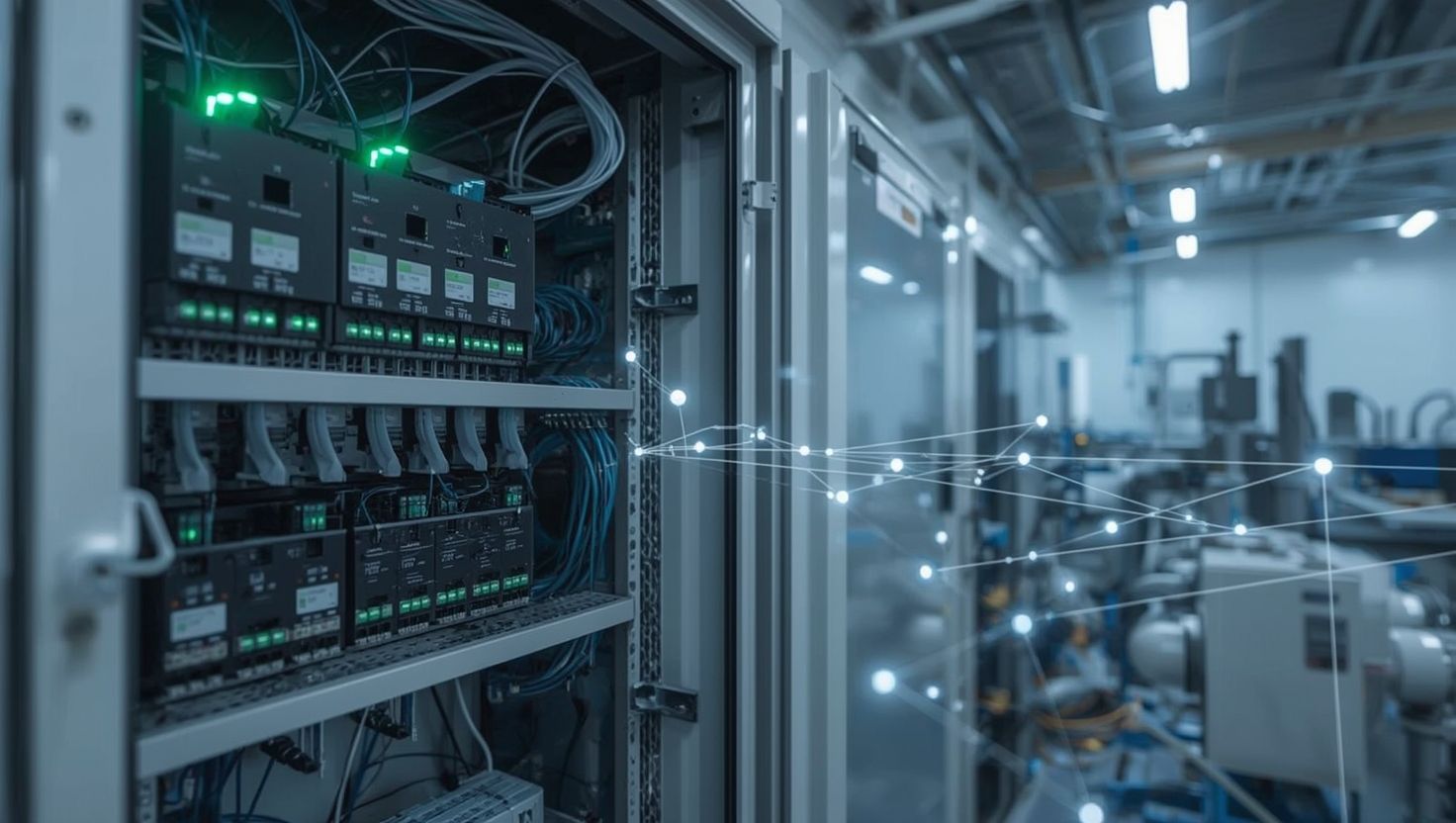
You’ve got a plant that sprawls across 2,500 feet of real estate, and someone in corporate just decided you need 400 more I/O points in a building that’s about as far from your control room as geographically possible. Your options? Run 20,000 feet of multi-conductor cable through existing trays already at 60% capacity. Or start thinking about distributed I/O. Remote I/O systems offer an alternative that can dramatically reduce installation costs while improving signal quality.
If you’ve been down the first road before, you know how that story ends. Cable costs can run anywhere from $2 to $5 per foot installed for standard instrumentation cable, depending on your region and contractor rates. Once you’re dealing with intrinsically safe circuits, that number climbs considerably higher. Add the installation labor, any cable-tray modifications, and the schedule slip, since nobody accounted for pull times, and you’re typically looking at six figures before you terminate a single wire.
Disclaimer: Industrial communication protocols, hardware specifications, safety standards, and pricing evolve continuously. All information reflects general industry conditions as of early 2025 and should be verified with current manufacturer documentation, applicable codes, and regional pricing before making design or purchasing decisions. Individual project costs vary significantly based on location, labor markets, and site-specific conditions. Electrical and automation standards differ by jurisdiction; confirm CSA compliance for Canadian installations.
This guide covers the complete lifecycle of remote I/O implementation, from the initial feasibility question through commissioning and troubleshooting. We’re not selling hardware here. We’re sharing the engineering framework Vista Projects has developed over 40 years of I&C engineering and system integration work across petrochemical, oil and gas, mining, and process manufacturing applications. For industrial automation in Canada, remote I/O planning must also account for CSA compliance requirements and environmental considerations specific to Canadian operating conditions.
Running Out of Cable Tray Capacity on a Brownfield Expansion?
Talk to Vista’s I&C Engineering Team About Distributed I/O Options
When Remote I/O Actually Makes Sense
Here’s something vendors won’t tell you: remote I/O gets oversold. They love it because it means more hardware revenue. Integrators sometimes push it because it’s more interesting than running cable. But centralized I/O works perfectly well for many applications, and there’s real value in proven solutions that your maintenance technicians already understand.
So, when does distributed architecture actually earn its place? In my experience, your current setup is telling you something when you’re fighting signal quality issues on long analog runs, when every new project turns into a cable-routing puzzle, or when installation costs run several times the equipment cost.
How do you know if remote I/O is right for your facility?
I typically see remote I/O start making economic sense somewhere around 300-500 feet, but point density matters more than raw distance. Single transmitter at moderate distance? Run the cable. You’re probably looking at under $1,500 installed versus several thousand for a one-point remote solution. That math rarely works. But cluster 100 I/O points in that same building? Now the comparison often favors remote I/O by a significant margin.
What the Numbers Typically Look Like
Note: Costs vary significantly by region, market conditions, and project specifics. The following ranges reflect general North American industrial markets as of early 2025. Always obtain current quotes for your specific application.
For a typical 64-point remote rack with a mix of discrete and analog, the budget is in the range of $6,000-18,000, depending on environmental requirements and redundancy level. That generally covers your communication coupler, power supplies, I/O modules, and appropriate enclosure.
Conventional wiring for those same points at similar distances often runs considerably higher once you factor in cable, any tray modifications, junction boxes, and installation labor. The break-even point shifts based on your specific situation, but many projects find that remote I/O becomes attractive somewhere around 30-60 I/O points at 400-plus feet.
Where Remote I/O Often Earns Its Keep
Refinery and petrochemical facilities with process units spread across large plots. Tank farms and pipeline stations with geographically scattered assets. Mining operations where equipment locations shift over time. Hazardous area applications where locating I/O closer to field devices can reduce the barrier count and associated wiring complexity.
But the real sweet spot in my experience? Brownfield expansions. Existing facilities almost never have spare cable tray capacity where you need it. The marshalling cabinets are full. Remote I/O lets you add capability without tearing apart infrastructure that’s been working fine for twenty years.
Choosing the Right Communication Protocol
This is where projects go sideways early. Engineers pick what they know, or what the PLCA programmable logic controller is a ruggedized industrial computer designed to execute discrete and sequential control logic for machinery ... vendor pushes hardest, without really evaluating fit.
The Major Players
EtherNet/IP dominates North American manufacturing and has a strong presence in the oil and gas industry. Built on standard TCP/IP, many implementations achieve update rates in the 5-10ms range. If you’re running Rockwell PLCs, this is usually the path of least resistance with native support and a broad hardware ecosystem.
PROFINET dominates the European market and is increasingly used in North American process applications. The diagnostic capabilities are genuinely excellent, frankly better than EtherNet/IP in my experience. Natural choice for Siemens installations.
EtherCAT can deliver sub-millisecond performance for motion control and high-speed applications. Impressive technology, but the complexity exceeds what most process applications need. Don’t overengineer.
Modbus TCP refuses to die, and honestly doesn’t need to. Near-universal support, easy troubleshooting, no proprietary lock-in. The polling architecture can struggle with large point counts, but it’s perfectly serviceable for legacy integration.
One more thing: the fieldbus isn’t dead. If your facility has fifteen years of PROFIBUS networks and technicians who understand them, adding another segment often makes more sense than introducing something new.
Making the Decision
Start with performance requirements. For industrial automation across Canada, protocol selection should also consider what your regional service providers and integrators support most effectively. Process control generally tolerates scan times in the 100-250ms range. Discrete manufacturing often requires faster responses. Motion control pushes into sub-millisecond territory.
Then consider what you’re already running. Introducing a new protocol means new training, often several thousand dollars per technician. You’ll also need a new spare parts inventory and new diagnostic tools. Unless you have a compelling technical reason to change, stick with your facility standard.
Designing Your Remote I/O Network Topology
This is where you build in reliability or don’t. Get it wrong, and you’re creating single points of failure that will haunt operations for years.
A star topology puts your switch at the center, with dedicated runs to each remote rack. Simple, good fault isolation, works well for smaller installations of 3-8 racks. One cable fails, one rack goes offline, everything else keeps running.
Ring topology connects devices in a loop so traffic can reach any point via two paths. Cable fails, traffic routes around the break, typically within tens of milliseconds. This is the standard approach for anything critical. Adds minimal cabling cost versus a star, and provides complete single-fault tolerance.
Daisy-chain configurations minimize cabling, which makes them tempting. Resist that temptation for any critical I/O. One cable break takes out everything downstream. Close the ring.
On Redundancy
Not everything needs redundant everything. Understand what’s actually critical and design accordingly. Remote rack monitoring warehouse ambient conditions? Probably doesn’t need the same protection level as reactor interlocks.
Media redundancy through ring topology should be standard for process control I/O. Hot standby controller configurations make sense for safety systems. Expect roughly double the hardware cost plus additional engineering.
Fiber deserves consideration for critical segments and anything beyond copper Ethernet’s 100-meter limit per IEEE 802.3 standards. Immune to electrical noise, provides galvanic isolation, and the cost premium over copper has come down substantially.
Hardware Selection
The communication coupler determines your network capabilities, diagnostics, and system reliability. Don’t economize here. Factory acceptance testing should verify coupler functionality and protocol compatibility before equipment ships to site. For motor control I/O points, coordinate your commissioning with proper motor testing procedures before energizing drives.
Verify protocol compatibility carefully. EtherNet/IP and PROFINET couplers look similar but aren’t interchangeable. Some couplers support multiple protocols via firmware selection, which can simplify standardization across facilities running different platforms.
Always spec for expansion. If your design needs 12 modules, consider a coupler supporting 16-18. The incremental cost is typically modest compared to adding a second rack later.
For Canadian installations, ensure all equipment carries appropriate CSA certification and that installations comply with CSA C22.1 (Canadian Electrical Code) and CSA C22.2 standards for industrial control equipment. Provincial electrical codes may impose additional requirements.
I/O Modules
Digital I/O is relatively straightforward. Match voltage levels, verify current ratings for outputs, and confirm sourcing or sinking configuration matches your field devices.
Analog modules need more thought. Resolution-wise, 12-bit handles most monitoring, 14-bit covers many precision applications, and 16-bit is typically specified for custody transfer. Pay attention to HART capability. Modules with HART pass-through enable remote device configuration and access to secondary variables from smart transmitters. For new installations with HART-enabled field devices, that investment often pays for itself in reduced field calibration visits.
Environmental Considerations
Note: Always verify current equipment ratings, certifications, and applicable codes for your specific installation. Hazardous area classifications and requirements vary by jurisdiction and are subject to change.
IP65 minimum for outdoor installations is common guidance. IP66 or IP67 for washdown environments. Stainless steel enclosures for corrosive environments are common in petrochemical and offshore applications.
Hazardous area work gets expensive quickly. IS barriers can add substantial per-channel costs when located at the control system. Common approaches include locating the remote rack outside the classified area with barriers to field devices, using appropriately rated remote I/O installed directly in classified areas, or using explosion-proof enclosures. Consult with engineers experienced in your specific hazardous area classification system, whether that’s NEC, CSA (for Canadian installations), IEC, ATEX, or another framework.
Installation Essentials
Size cabinets larger than you think necessary. If the drawing shows 90% utilization, it’s probably too small. Technicians need working space, and you’ll want room for future additions.
Thermal management gets overlooked until commissioning reveals problems. A well-populated remote rack can dissipate 150 watts or more, depending on configuration. In a sealed enclosure at elevated ambient temperatures, internal conditions may exceed equipment ratings without active cooling.
Wiring Practices
Industrial Ethernet cable requirements differ from office networks. Shielded construction, oil-resistant jacket, temperature rating appropriate to your environment,and appropriate flame rating for your installation method. Quality industrial cable typically runs $1-2 per foot or more. Cutting corners here creates troubleshooting headaches that cost far more than the cable savings.
Shield termination: connect drain wires at one end only, typically the cabinet end. Grounding at both ends creates ground loops that often cause more problems than they prevent.
Cable routing and separation requirements vary by applicable electrical codes including NEC, CSA C22.1 (Canadian Electrical Code), IEC, and local amendments. Consult applicable codes and standards for your jurisdiction.
Network Security Considerations
Industrial Ethernet brings connectivity benefits but also introduces cybersecurity concerns that didn’t exist with hardwired I/O. At a minimum, isolate control network traffic from business networks using properly configured firewalls or network segmentation. Disable unused switch ports. Many facilities now require industrial demilitarized zones between control and enterprise networks. Your corporate IT security team should be involved in network architecture decisions, but understand that industrial network requirements differ from office IT practices. Secure network architecture becomes even more critical when implementing remote SCADA monitoring across distributed I/O systems.
Configuration and Commissioning
Develop your IP addressing scheme before touching any devices. Reserve ranges by device type, use static addresses exclusively, and document everything. DHCP has no place in industrial control networks.
Enable module diagnostics including communication status, module health, and channel faults. Most systems ship with these disabled to minimize data transfer. Turn them on. The network load is negligible and the troubleshooting value is substantial. Your SCADA software features must support the diagnostic data your remote I/O modules provide.
Testing Reality Check
How long does commissioning actually take? Allow adequate time for proper verification. Often that means 5-15 minutes per point depending on signal type and testing depth. A fully loaded rack can easily take a full day or more to commission thoroughly. Resist schedule pressure to compress this work. Problems found now are vastly cheaper than problems found during startup.
Verify power supplies before energizing modules. Confirm network connectivity and ring failover before testing individual points. Monitor communication diagnostics throughout. Error counts should stay at zero under controlled testing conditions.
Document actual installations, not just design intent. Accurate as-builts are what keep systems maintainable five and ten years out.
Lifecycle and Maintenance Planning
Remote I/O systems typically deliver 15-20 years of service life with proper maintenance. Plan for it from the start.
Establish a spare parts strategy during project execution, not after. Communication couplers and specialty modules can have extended lead times. Many facilities stock one spare of each module type per 10 installed.
Firmware management matters more with networked I/O than traditional hardwired systems. Establish a policy for evaluating and deploying firmware updates. Some organizations update proactively, others only when addressing specific issues. Either approach works if it’s deliberate.
Build diagnostic monitoring into your SCADA or DCSA distributed control system is an integrated automation platform that monitors and controls industrial processes through networked controll... from day one. Trending communication statistics and module health indicators catches developing problems before they cause process upsets.
Troubleshooting
LED indicators are your first diagnostic tool. Learn what normal looks like so deviations stand out.
Most intermittent communication problems trace to loose cable connections. Check both ends of every suspect path. Other common culprits include damaged cables, shield grounding issues creating ground loops, IP address conflicts, and EMI from nearby equipment.
For signal quality problems, characterize before chasing solutions. Continuous noise versus equipment-correlated? Affecting all channels or specific ones? Random or periodic? Answers point toward different root causes.
Know when to escalate. Vendor support handles firmware compatibility issues, undocumented error codes, and equipment behaving outside specifications. Document hardware versions, timeline, and troubleshooting already attempted. Quality problem statements get faster resolution.
Moving Forward
Remote I/O systems implementation is an engineering project, not a purchasing exercise. Decisions made during planning, including architecture, protocols, and redundancy approach, determine whether the system runs reliably for decades or creates ongoing headaches.
These decisions interact. I/O architecture affects electrical design. Network topology affects cable routing. Environmental requirements affect enclosure specifications. Protocol selection affects long-term support and expansion options. Treating them as independent choices is how projects end up with integration problems nobody anticipated.
Vista Projects has spent 40 years developing integrated approaches to exactly these challenges, delivering I&C engineering and system integration across petrochemical processing, oil and gas facilities, mineral processing, and other energy sectors in North America and the Middle East. When you need engineering support that understands both technical complexity and project execution realities, that’s the conversation we’re here for. For industrial automation projects in Canada, Vista Projects combines CSA compliance expertise with proven remote I/O implementation experience. Contact us to discuss your remote I/O planning and implementation requirements.
Get Remote I/O Architecture Designed for Reliability, Not Just Cost Savings
Schedule an Instrumentation and Controls Consultation with Vista Projects
This guide is for informational purposes only and should not be considered engineering advice. Industrial standards, equipment specifications, codes, and pricing change frequently. Always consult current official documentation, applicable codes, qualified engineering professionals, and obtain current pricing for project-specific guidance. For Canadian installations, ensure compliance with CSA standards and applicable provincial electrical codes. Individual project requirements, costs, and results vary significantly based on location, application, and site-specific conditions.